
AI-powered electrical CAD software
for building automation
- AI-powered – save up to 99% of your engineering time
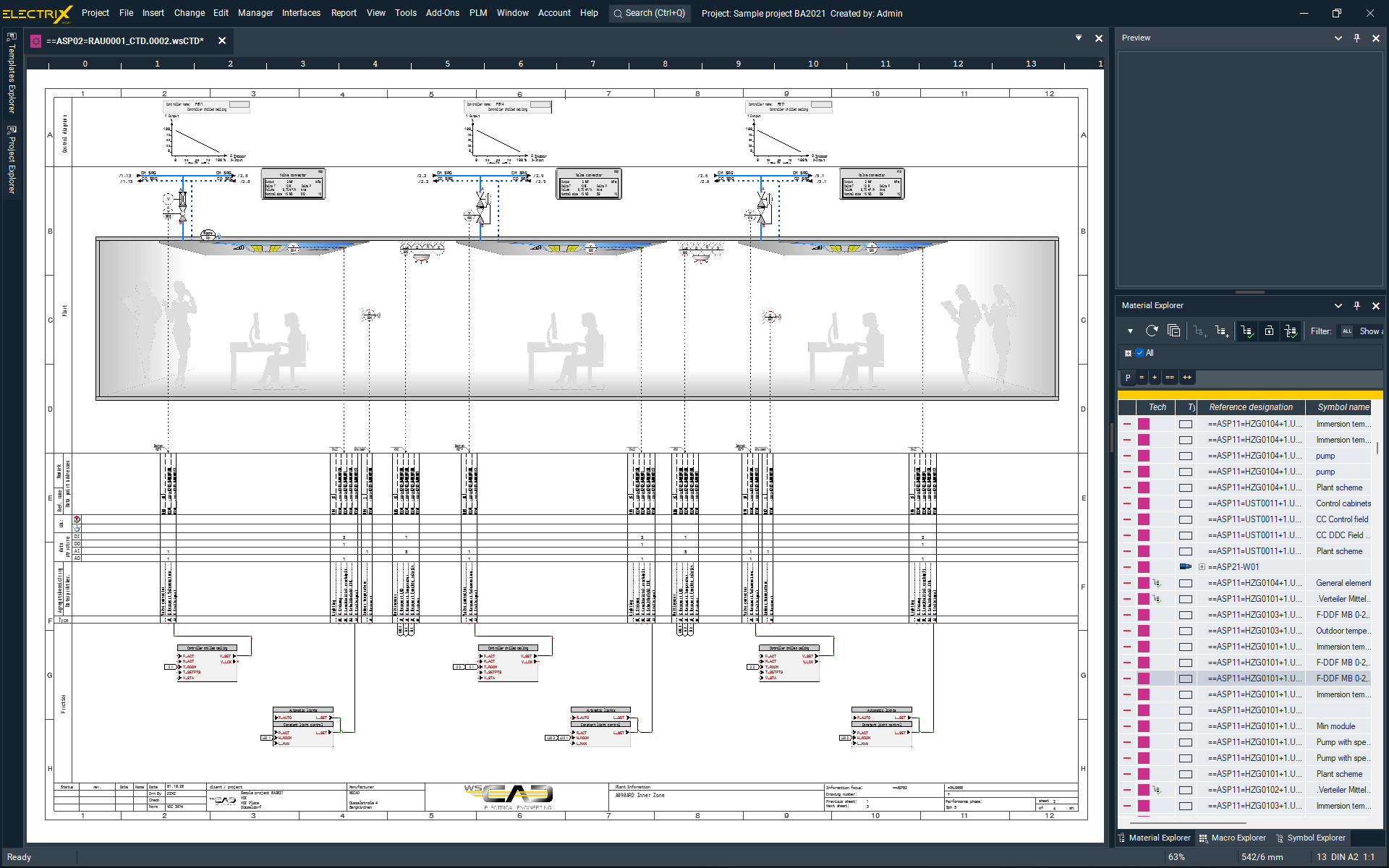
- Fast design and layout of building and room automation using automated macros
- Fast export of terminal diagrams, connection and material lists
- Interdisciplinary working of BA diagrams and installation diagrams

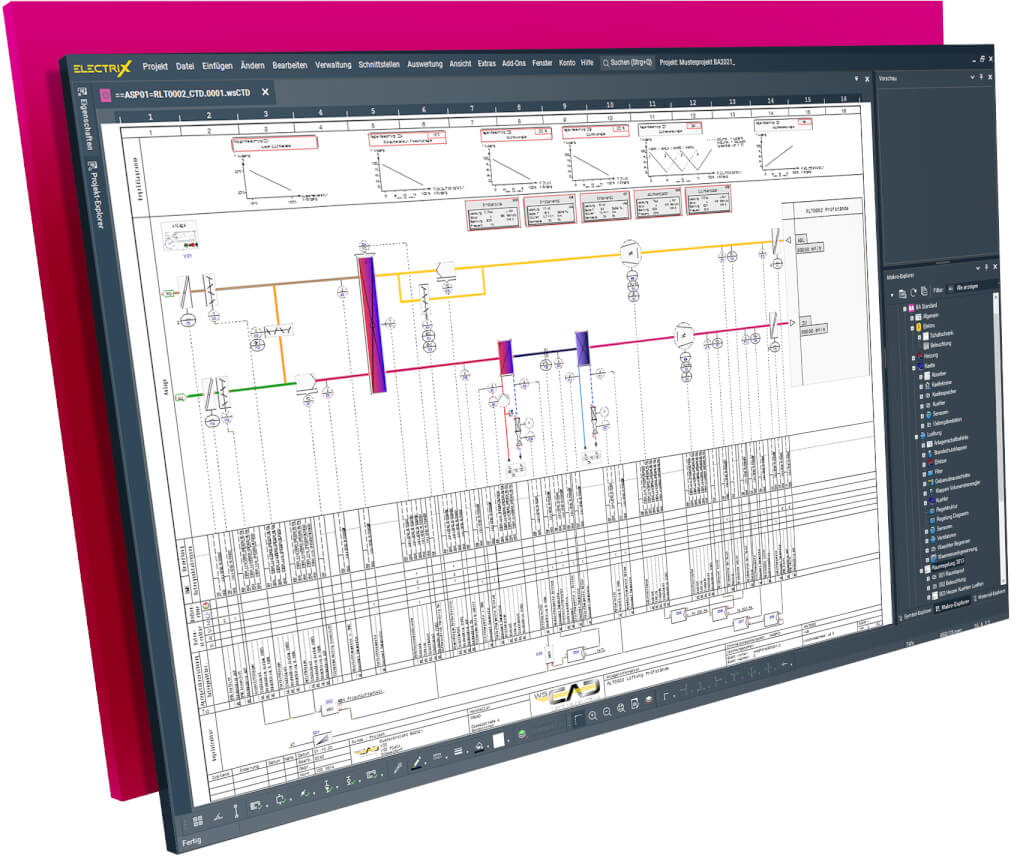
Experience ELECTRIX for building automation!
- Design the entire building automation process with one software
- Save time with faster design and layout
- Record data points and use them continuously up to the automation station
- Effective processing of data and components
- Integration in electrical installation
- Interactive working
Design the entire building automation process with one software
BA planning offices, EI&C companies, construction companies and facility management use WSCAD ELECTRIX for simple and consistent design and documentation of building and room automation in accordance with BACnet (Building Automation and Control Networks), DIN EN ISO 16484 and VDI 3814.
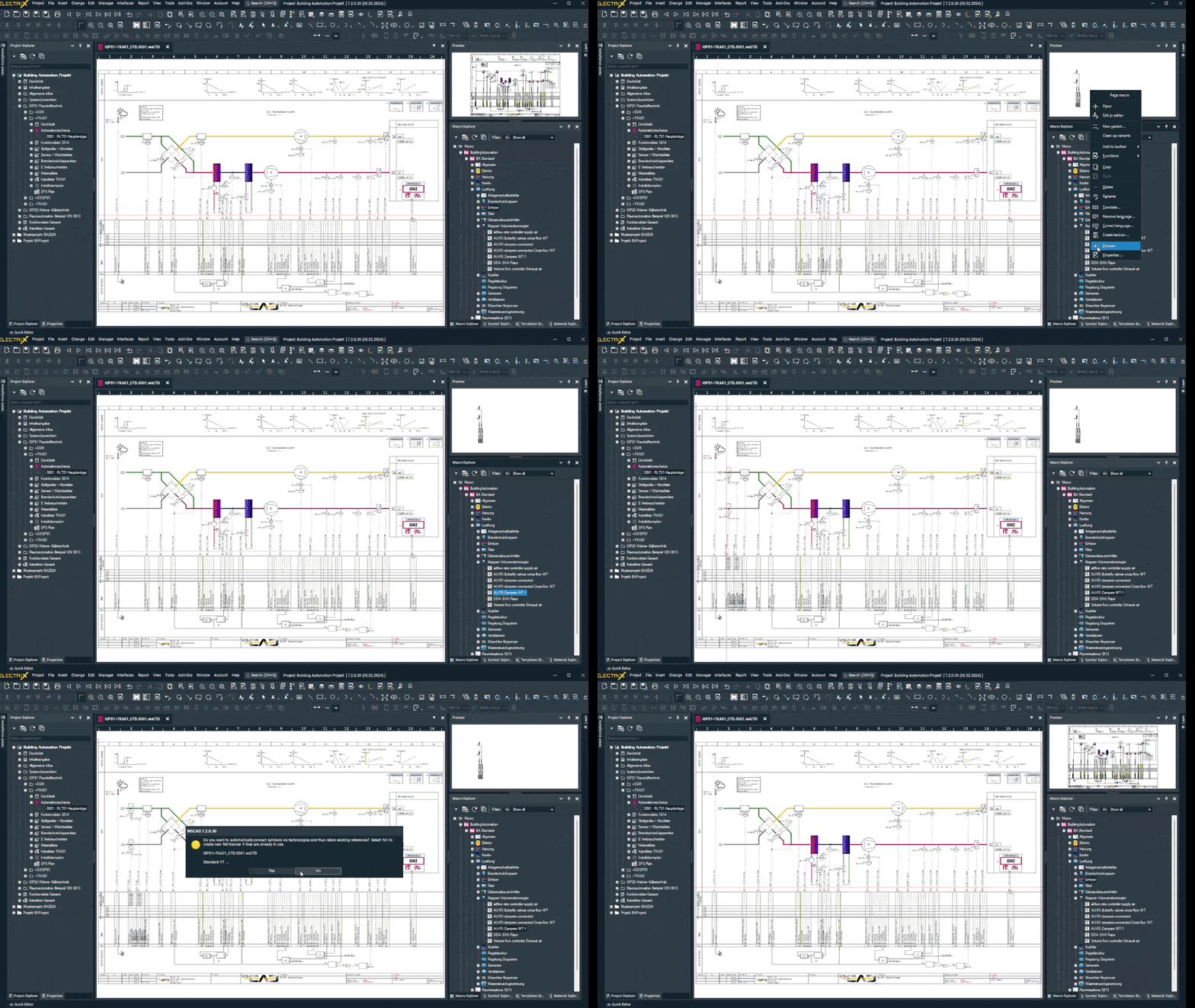
Design faster and save time
- Macros can be used to quickly design automation schemes and function lists. Macros are templates that can be prepared for easy use later. The time savings are enormous, especially if you use macros frequently.
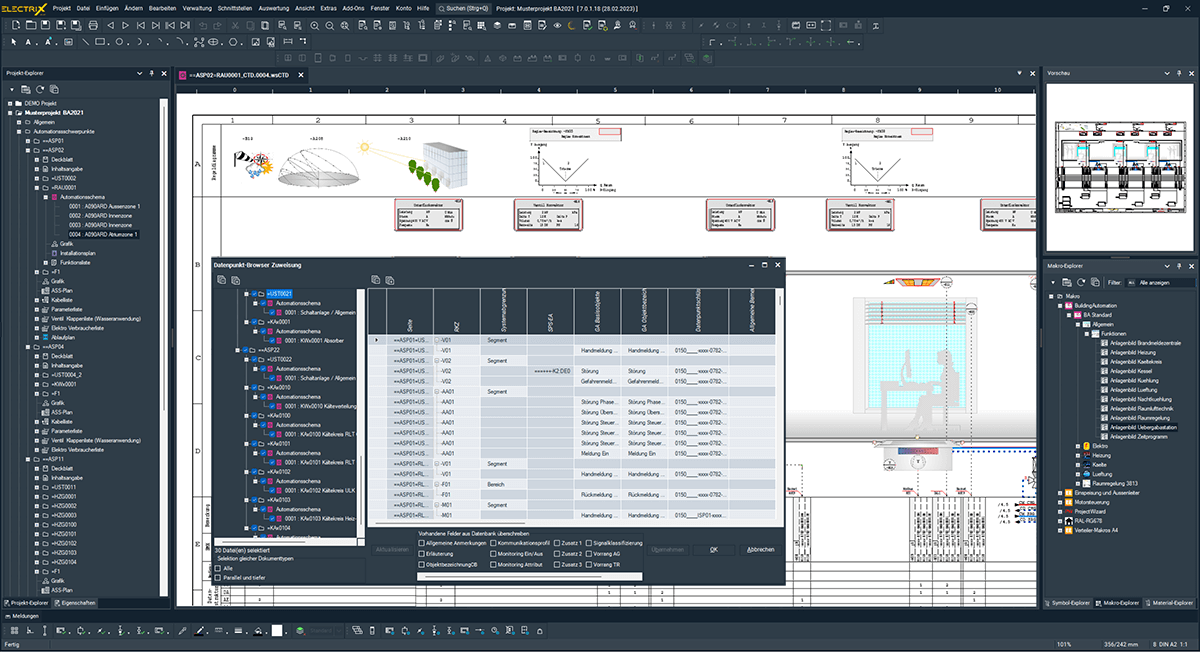
Record data points and use them continuously up to the automation station
- Record all data points of the schematics and function lists before designing the diagrams and assign them to the automation stations (DDC/PLC). WSCAD ELECTRIX features a data point browser, facilitating seamless accessibility and navigation through data points for enhanced ease of use.
Effective processing of data and components
- With the discipline Electrical Installation, you can import floor plans of buildings, place field devices and introduce intelligence in the schematics. Terminal diagrams, connections and material lists can be quickly generated from the schematics. You can also save time by using macros: e.g. when setting up the control cabinet.
- In addition, connections can be routed, and wire lengths calculated automatically in the enclosure. Generated data can be used immediately on NC machines for the production of wires and cabinet doors.
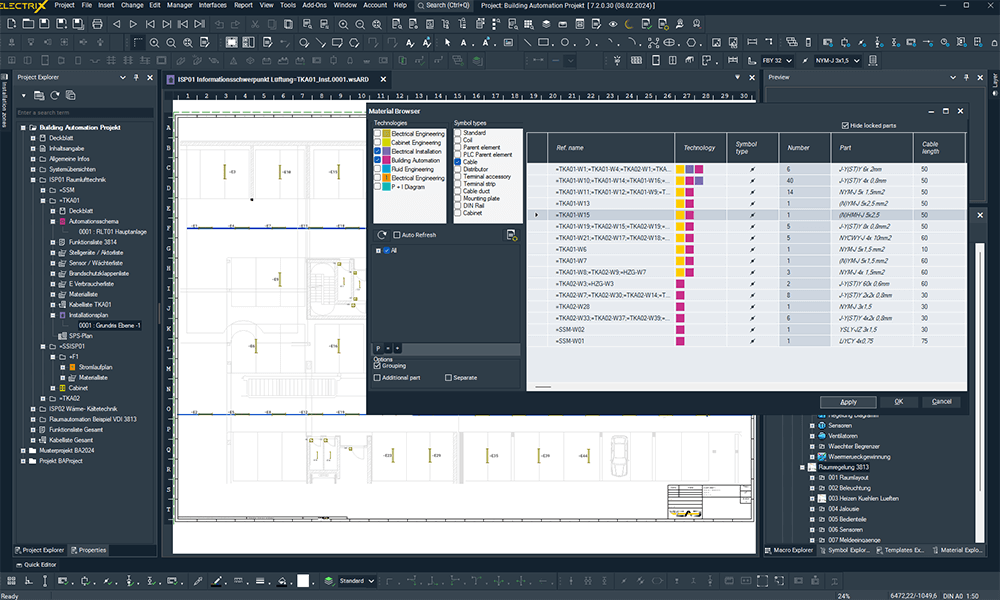
Integration of building automation schematics in electrical installation
With WSCAD ELECTRIX, the Building Automation discipline seamlessly integrates into electrical installation processes. By incorporating floor plans on which field devices can be placed and arranged, and by embedding intelligence in schematics, building automation data becomes an integral part of the electrical installation. This cohesive approach ensures that control strategies and sensor placements align harmoniously with the electrical infrastructure, fostering efficiency in both building automation planning and electrical installation.
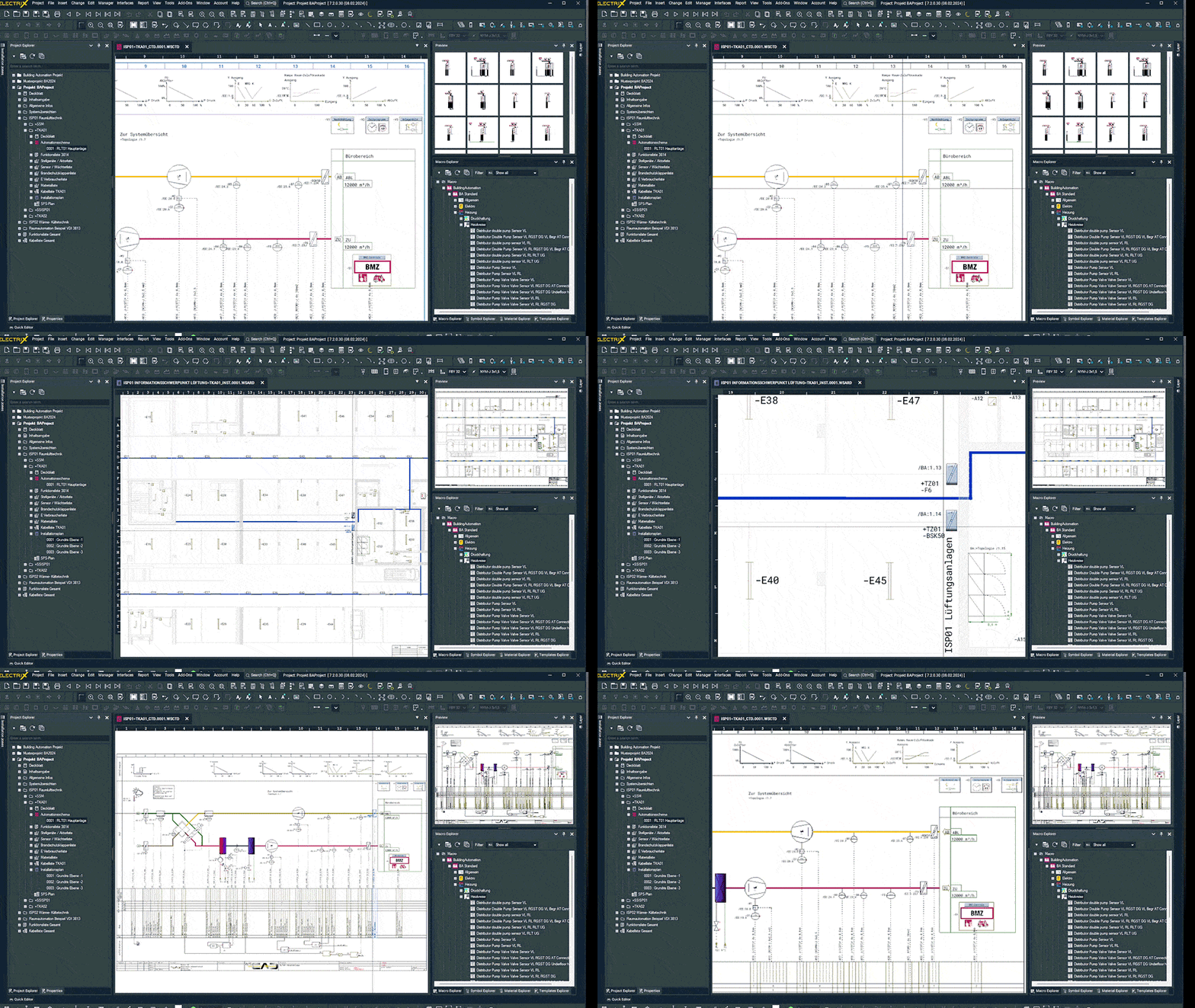
Interactive working
- If you are planning a modernisation or renovation, you need the free Building augmented reality (AR) app. The app scans (records) rooms and converts them into floor plans for building design and electrical installation. Scan and measure rooms in no time at all.
- WSCAD also offers a free app to minimise downtimes during maintenance and service. Simply scan the QR code of the components and field devices with the Cabinet AR app and get immediate access to all schematics, including reference name and a 3D view of the components and the complete item data including the original data sheets from the manufacturer – always up-to-date and just a click away.
Functions of WSCAD BA compared to other software
| Function | Benefit | WSCAD BA | Other MEP software | Other electrical CAD software |
|---|---|---|---|---|
| Interdisciplinary work: BACS – automation schemes -> installation drawing-> circuit diagrams -> cabinet design |
|
|||
| Free customisable datapoint addressing concept |
|
|||
| Working with macros |
|
|||
| Automatic generation of circuit diagrams and BACS – automation schemes |
|
|||
| Own part database (local and online) |
|
| Function | Benefit | WSCAD BA | Other MEP software | Other electrical CAD software |
|---|---|---|---|---|
| Interdisciplinary work: BACS – automation schemes -> installation drawing-> circuit diagrams -> cabinet design |
|
|||
| Free customisable datapoint addressing concept |
|
|||
| Working with macros |
|
|||
| Automatic generation of circuit diagrams and BACS – automation schemes |
|
|||
| Own part database (local and online) |
|
|||
| Free plant structuring acc. to IEC 8134 |
|
|||
| Symbols acc. to IEC 62424 and VDI 3813 and 3814 |
|
|||
| Generation of function lists acc. to IEC 16484 |
|
|||
| Reflection of the data points in information links |
|
|||
| Standardisation of the data points for each device |
|
|||
| Auto connection of devices with connection line |
|
|||
| Intelligent copy-and-paste |
|
|||
| Export of smart PDF |
|
|||
| Sheet size freely definable |
|
|||
| Import of DWG/DXF |
|
|||
| Import of PDF |
|
Six engineering disciplines in one software
- Electrical Engineering
- Cabinet Engineering
- Piping & Instrumentation
- Fluid Engineering
- Electrical Installation
- Building Automation
 Electrical Engineering
Wiring diagram design
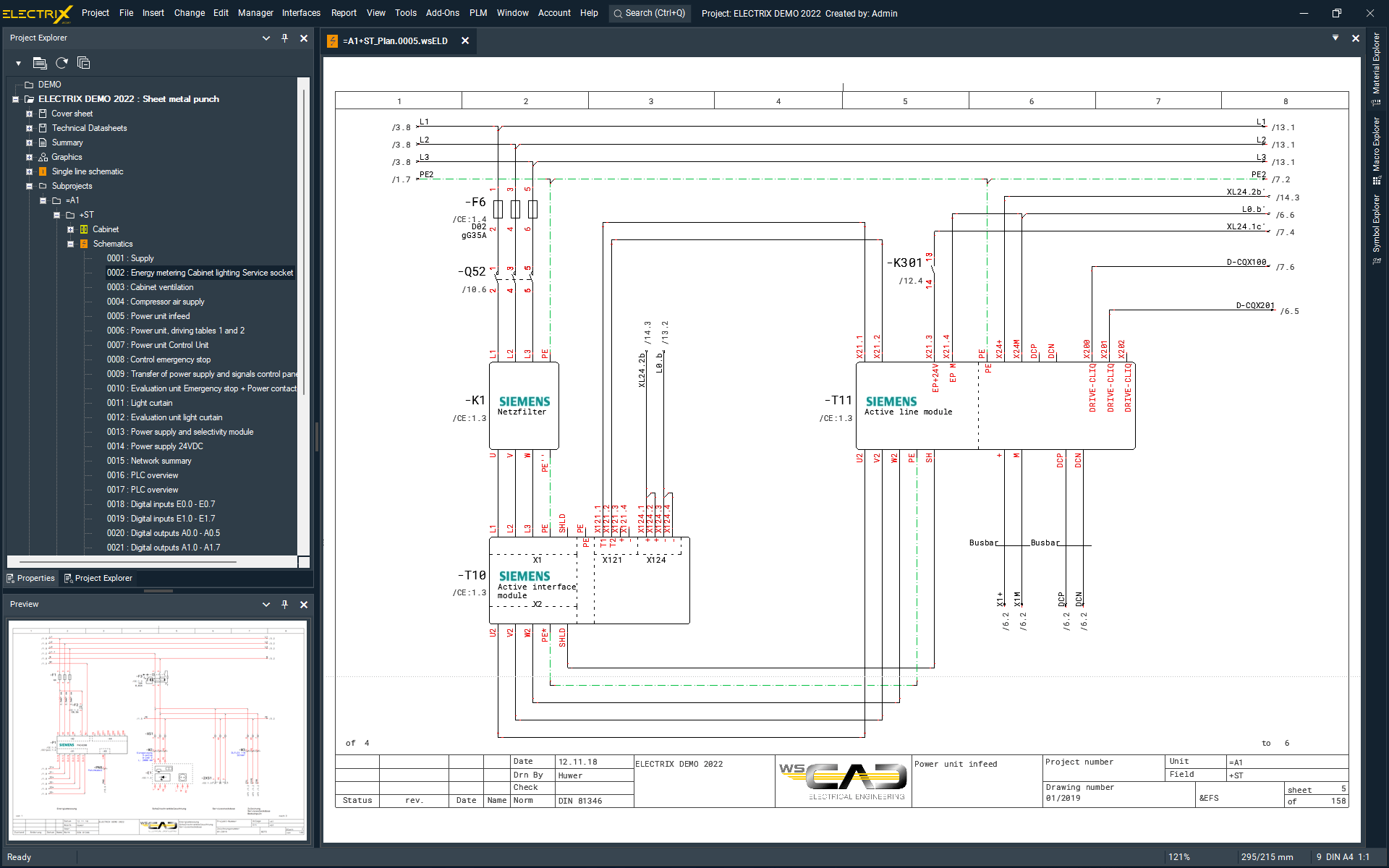
The Electrical Engineering module in WSCAD ELECTRIX enables you to design medium and low voltage systems for machines, plants, industrial automation and building automation.
Control cabinet designers, facility managers, maintenance engineers and industrial electricians rely on our user-friendly software to handle electrical schematics, control cabinets and all according documents.
 Cabinet Engineering
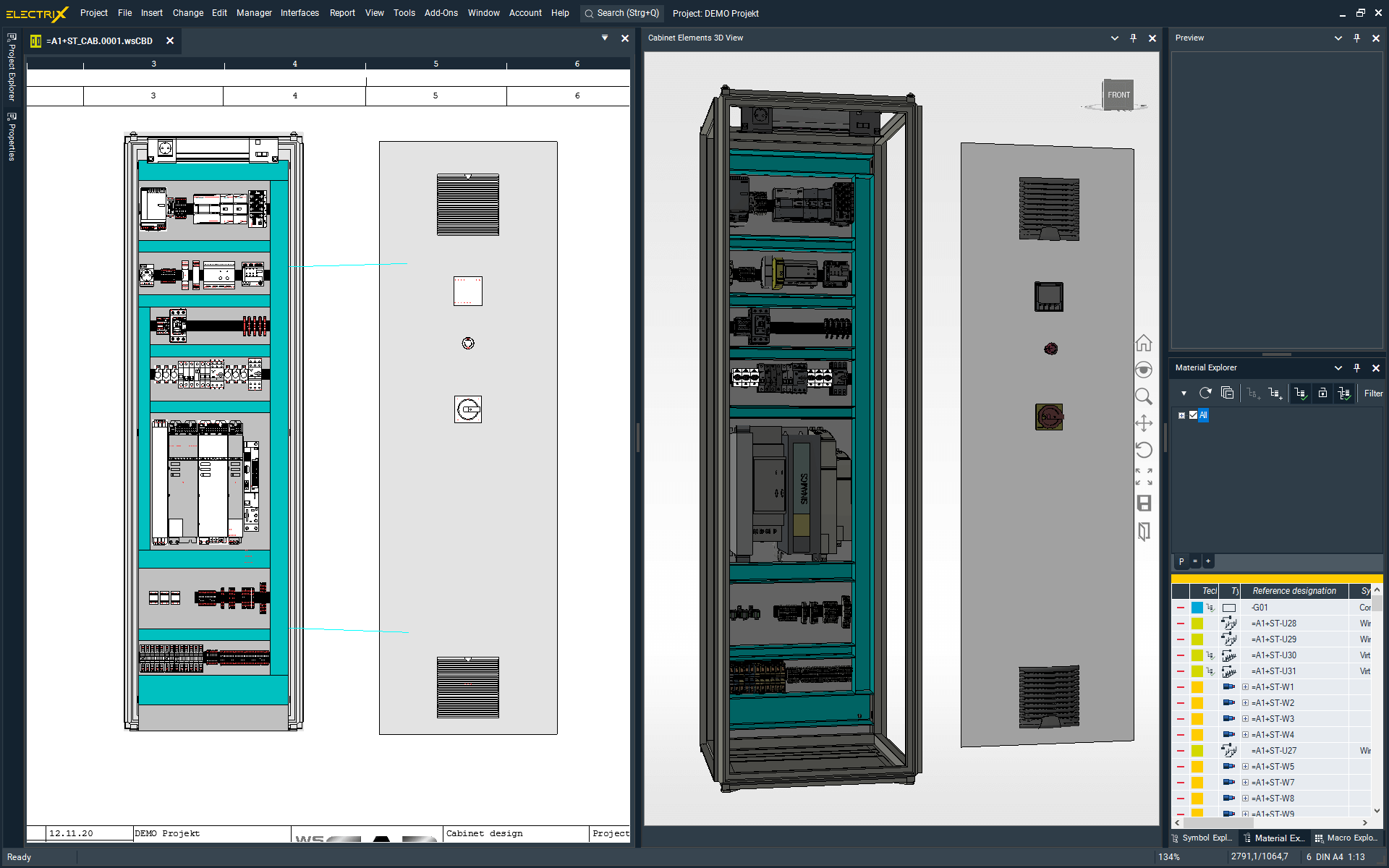
Professional cabinet design and wire routing
With the WSCAD ELECTRIX Cabinet Engineering module designing panels is super easy: use the precise and optimal placement of components, collision checks or the calculation of wire lengths/routes – all of this available during the design phase. Drilling data for components, mounting rails and cable trays can be configured easily through a dedicated menu. The integrated 3D view of the cabinet gives you a better spatial awareness.
 Piping & Instrumentation
Process engineering and measuring point management
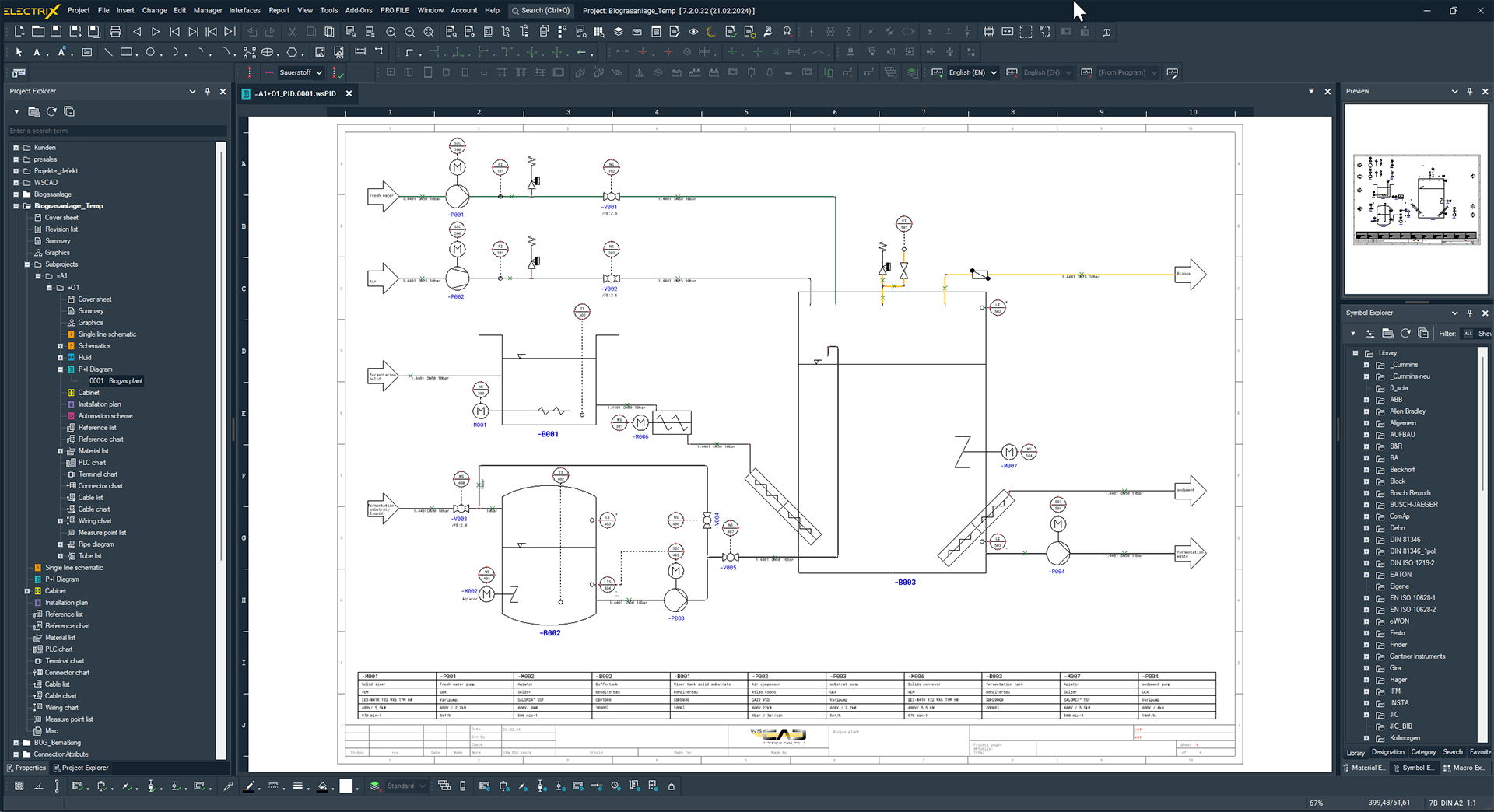
Design piping and instrumentation diagrams easily using WSCAD ELECTRIX P&ID (Piping & Instrumentation Diagrams) module.
By linking every P&ID component with their representation in another engineering discipline you get a consistent design. Add the unique, sequential numbering of measuring points and you will be able to remove errors in a breeze.
 Fluid Engineering
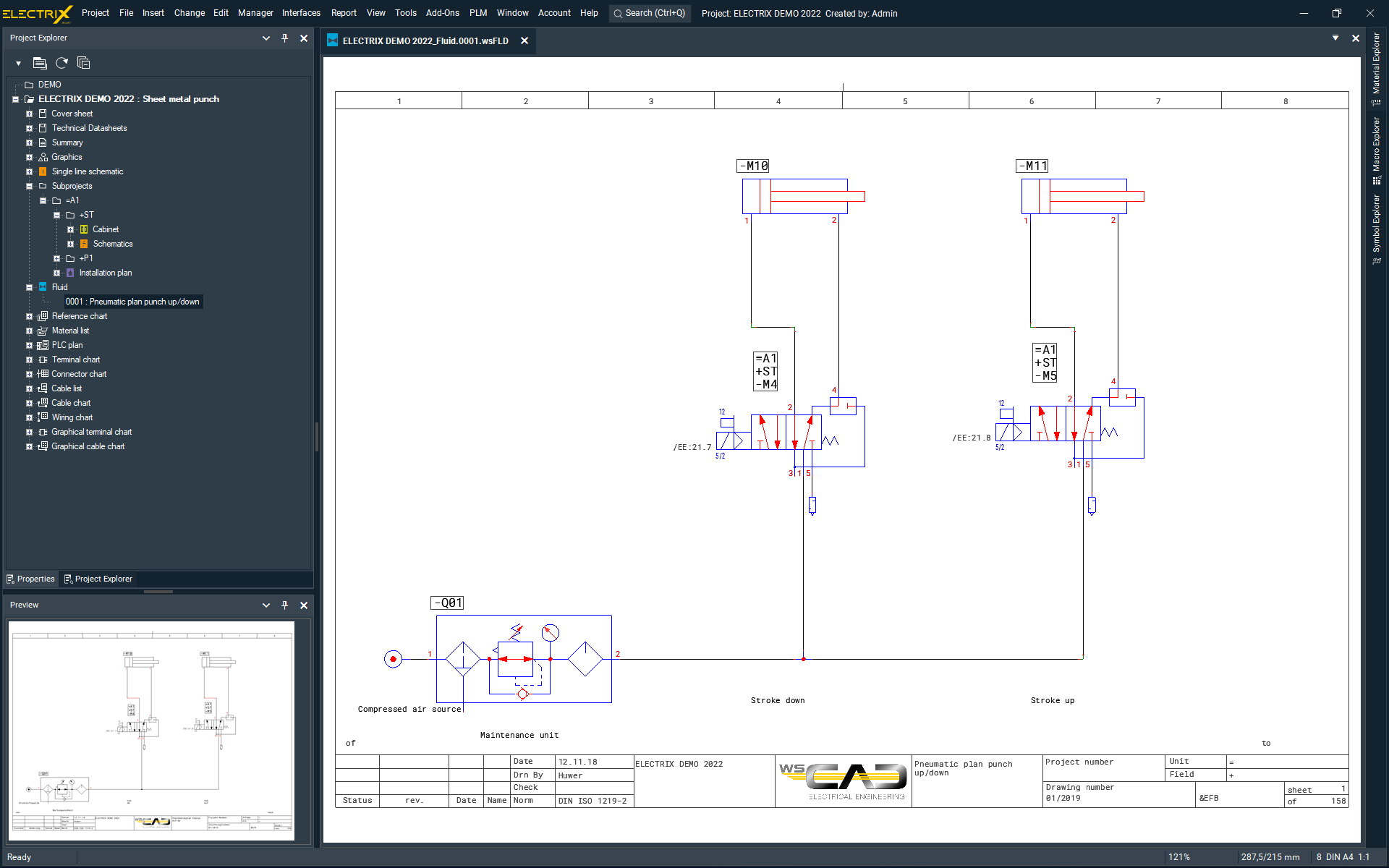
Pneumatic and hydraulic systems
WSCAD ELECTRIX is your ideal companion to design pneumatic and hydraulic systems. The Fluid Engineering discipline includes all the benefits of the Electrical Engineering module, plus special fluid functions. Designers and maintenance engineers get all the tools they need for the end-to-end design of mechatronic tasks – quickly, intuitively and efficiently.
 Electrical Installation
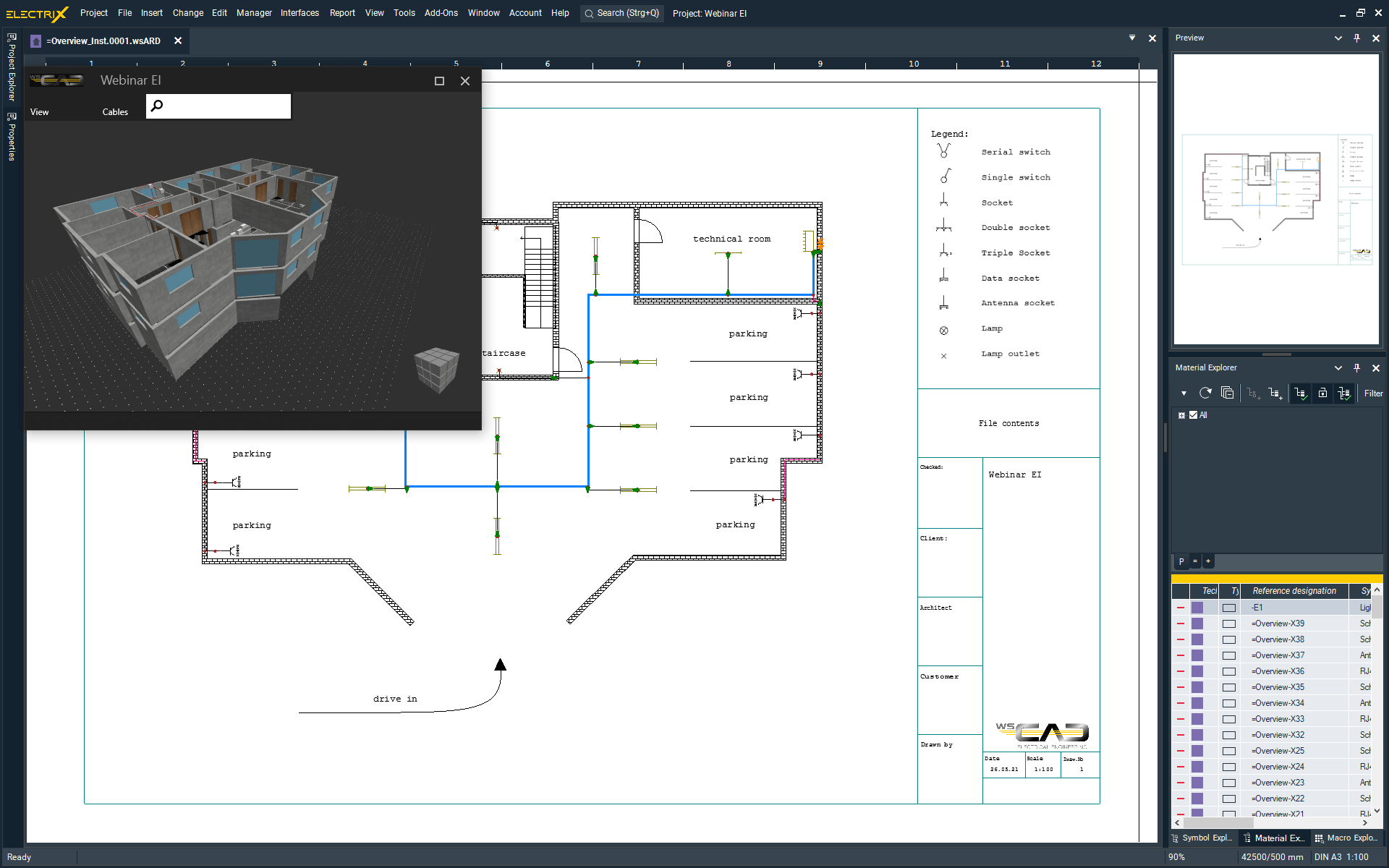
Installation diagrams and distribution planning
Design building system technology, medium- and low-voltage installations, as well as antenna and fire alarm systems. The Electrical Installation module of WSCAD ELECTRIX is your tool from design to delivery, including the 3D location of equipment in plants and buildings. Import PDF or DWG floor plans at scale, place all the field devices and link them to the existing symbol data of the schematics.
 Building Automation
Building Automation and measurement control technology
Design layouts and schematics for measurement control technology using the WSCAD ELECTRIX Building Automation module.
Symbols placed in the schematics are linked to the corresponding component and its manufacturer data. This way you can easily generate the BOM for procurement, pricing and manufacturing. You can ensure constant transparency and traceability throughout the entire project. Just rely on the coloured representation of plant schematics and functional diagrams with subsequent evaluation of all functions, materials, field devices and cables.
Over 40,000 customers work with WSCAD
Building automation case studies
WSCAD Facts

> 40,000
users

> 35 years
of ongoing market success

> 100
countries use WSCAD
Get the ELECTRIX demo version
Try now the latest version of the electrical CAD software from WSCAD for free
Get the complete WSCAD ELECTRIX demo and try it, including all the modules for free. Simply fill in the form and we will send you an email with the download link.
What you can expect:
- Test all functions for 30 days without obligation
- Highest expansion level of the software with all six electrical design disciplines
- Addon ProjectWizard pre-installed
- Completely free of charge – no credit card details required


